A CMS Your Editors Trust and Your Developers Extend
Stack9 Pages renders every edit through your real production renderer, gives editors a governed library of approved components, and hands developers a typed way to build new ones — so what's in the editor is what actually ships.
Built for Editors. Extended by Developers.
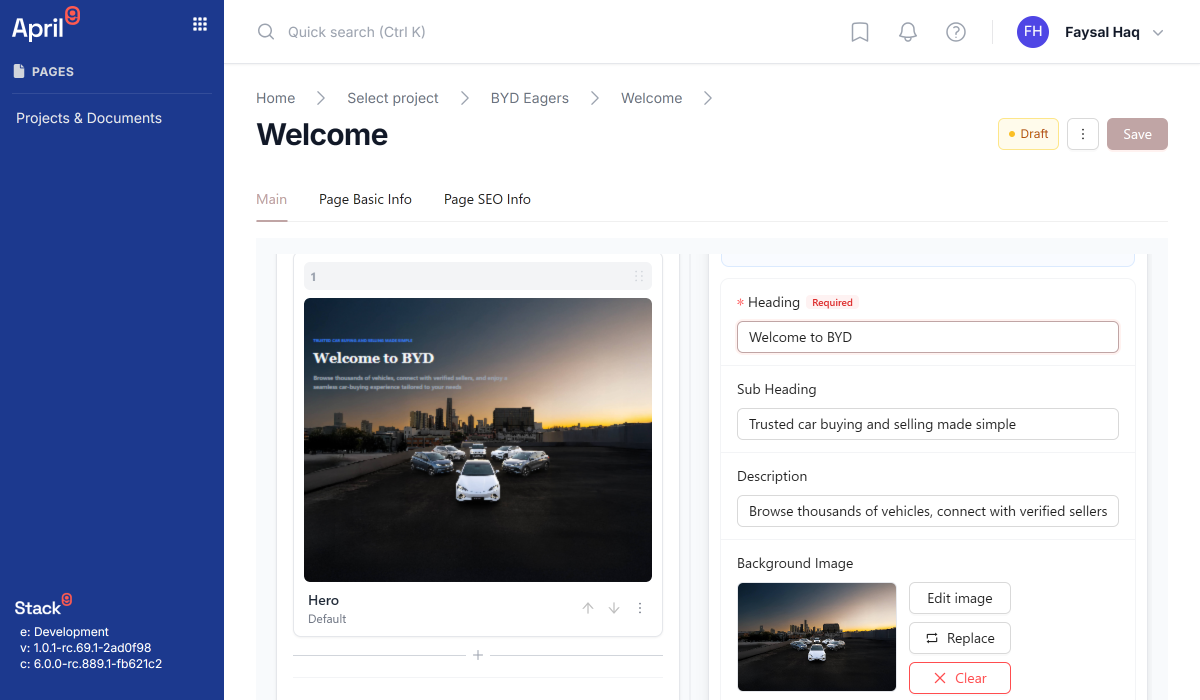
Live Preview, not a guess
Every slice renders through your actual production renderer in a live iframe as editors work — the canvas doesn't approximate the page, it is the page.
Shareable preview links
Generate a tokenised preview snapshot and send stakeholders a link — including unsaved edits — without asking anyone to log in to the CMS.
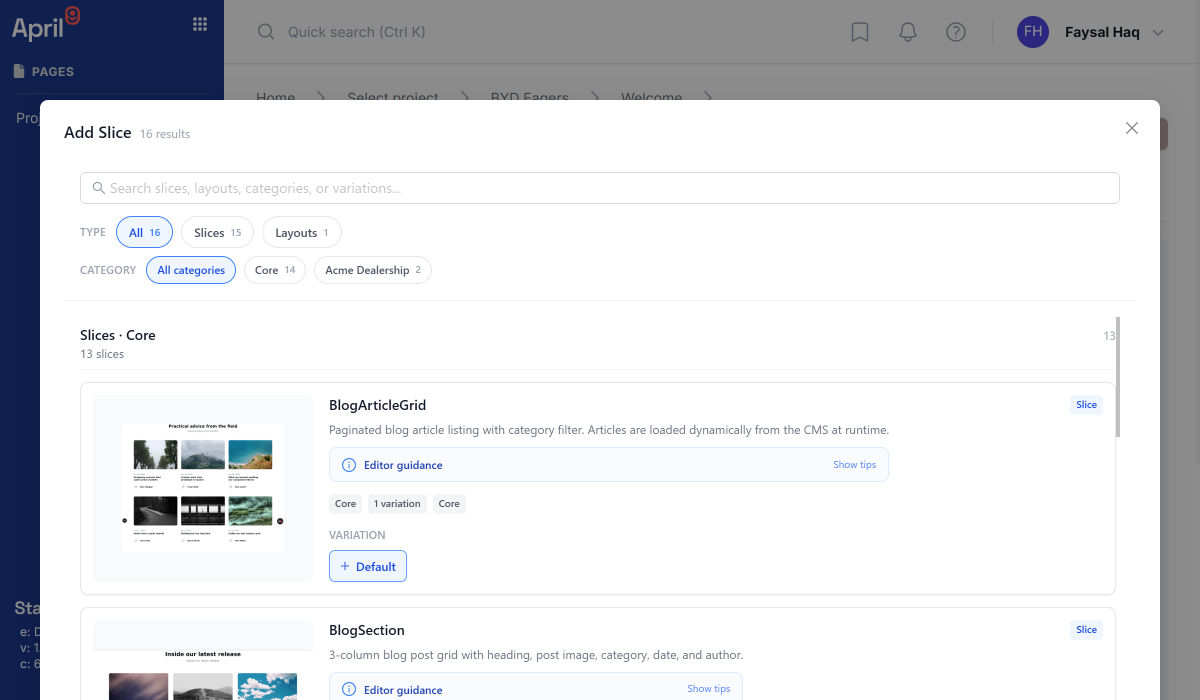
A governed Slice library
Every Slice carries a kind, status, and origin — Core (tenant-governed) or Business Unit Fork — so editors search a faceted, browsable catalog of approved components instead of guessing what exists.
The Slice Devkit, for developers
Build new Slices against typed authoring primitives and the Slice Token Contract, so every custom component inherits your brand system instead of reinventing it.
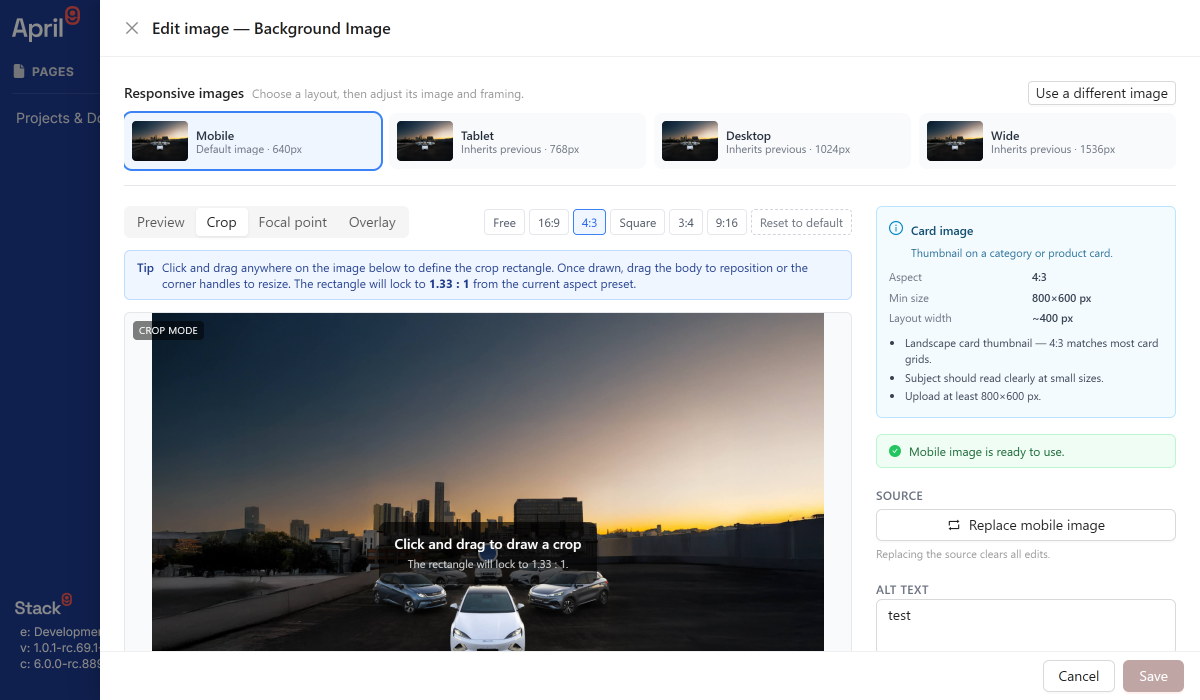
Responsive images, art-directed per breakpoint
Define an Image Variant for mobile, tablet, desktop, and wide — each with its own crop, focal point, and zoom — plus auto-optimise recommendations that never upscale.
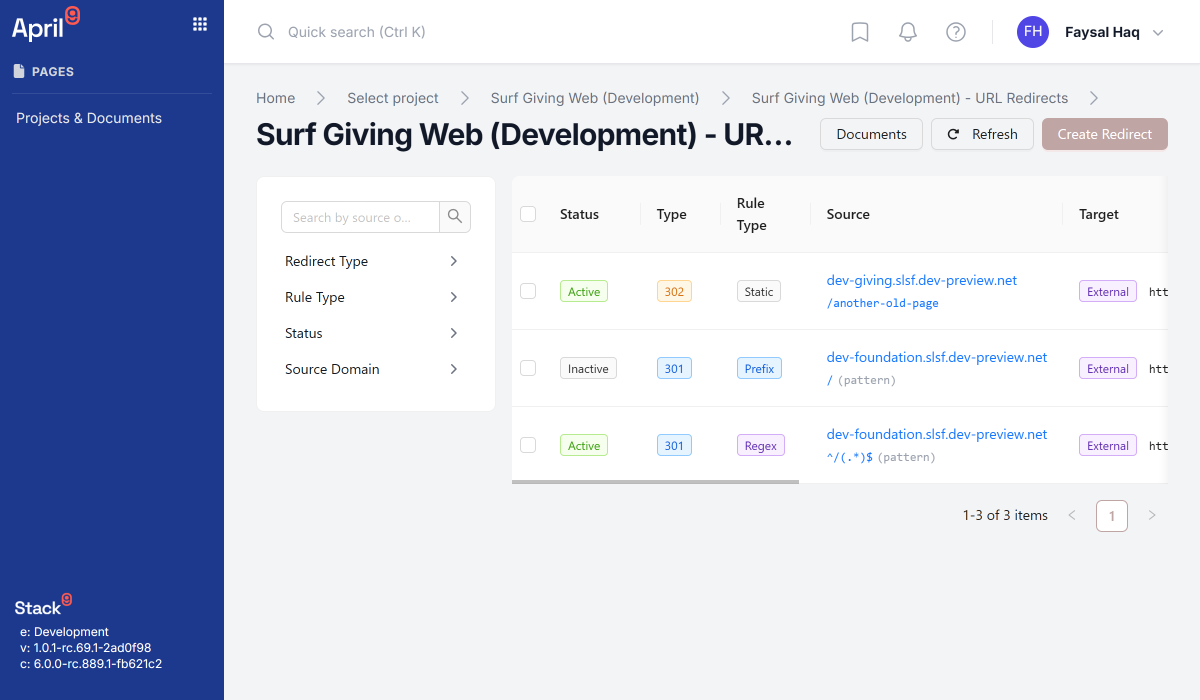
Redirects and Site Settings, built in
Manage static, prefix, and regex URL redirects and single-source brand settings — logos, fonts, SEO defaults, analytics IDs — without a code deploy.
From Empty Canvas to Shareable Preview
Set your preview domain
Point Stack9 Pages at your site's own renderer once, in project settings — every editor session uses it from then on.
Compose with governed Slices
Search and filter the Slice library by kind, category, tags, and status. Drop Layouts, Blocks, and Sections into place — the picker only shows what column allowlists permit.
Preview live, share a link
Edits render instantly, no save required. Click Preview page to persist the current state — including unsaved edits — and get a shareable snapshot link.
Publish with your settings intact
Redirects and Site Settings travel with the project, so brand assets, SEO defaults, and URL rules stay consistent from staging to launch.
See the Editing Experience
A page-building surface that looks and behaves like the live site.
Give Your Content Team a CMS That Doesn't Lie to Them
Live preview, a governed component library, and responsive images that actually respond — all inside the Pages editor your team already opens every day.