Introduction to Stack9
Stack9 is a Rapid Application Development (RAD) Platform that enables fullstack JavaScript developers to build enterprise-grade applications up to 10x faster than traditional development approaches.
What is Stack9?
Stack9 is a configuration-driven platform where you define your application through JSON configuration files rather than writing repetitive CRUD code. Think of it as a framework that automatically generates:
- ✅ REST APIs with full CRUD operations
- ✅ Database schemas and migrations
- ✅ Admin UI with data grids and forms
- ✅ Authentication and authorization
- ✅ Workflow state machines
- ✅ Search and filtering capabilities
- ✅ File storage and attachments
- ✅ Audit logs and history tracking
When Should You Use Stack9?
Stack9 is ideal for:
- Back-office applications: CRM, ERP, admin panels, internal tools
- Data-driven applications: Applications with lots of entities and relationships
- Workflow-heavy systems: Applications with approval processes and state machines
- Rapid prototyping: Quickly validate ideas and iterate
- Teams with limited resources: Build more with fewer developers
Stack9 might NOT be the best fit for:
- Public-facing consumer applications with complex UX requirements
- Real-time applications (gaming, chat)
- Applications with non-standard data models
How Does Stack9 Work?
Traditional Development
Define API Routes → Write Controllers → Create Database Models
→ Write Business Logic → Build Frontend → Write Tests
Stack9 Development
Define Entities (JSON) → Configure Screens (JSON)
→ Add Business Logic (TypeScript hooks when needed)
Everything else is automatically generated by Stack9!
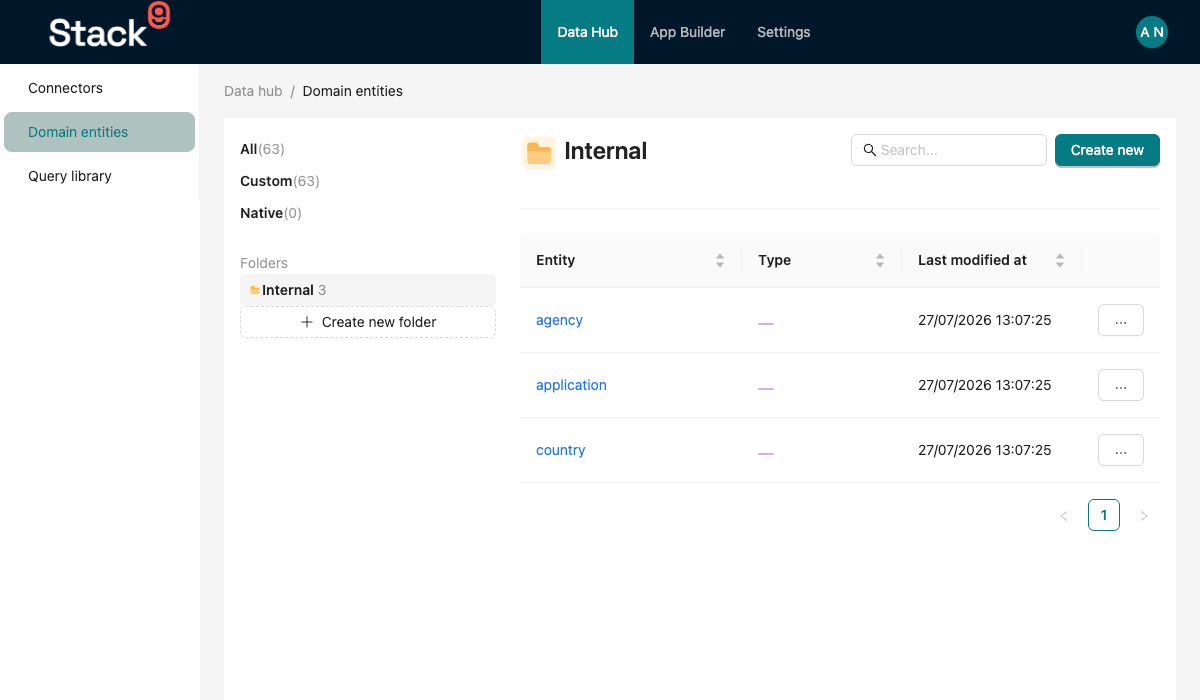
Core Concepts
A Stack9 developer works with these key concepts:
1. Entities
Define your data model (like a Customer or Sales Order) in JSON. Stack9 automatically:
- Creates database tables
- Generates CRUD APIs
- Handles validations
- Manages relationships
2. Screens
Define your UI screens in JSON. Stack9 automatically:
- Renders data grids with sorting/filtering
- Creates forms with validation
- Handles navigation
- Manages permissions
3. Query Library
Define database queries and external API calls in JSON. Stack9 automatically:
- Executes queries efficiently
- Handles pagination
- Manages caching
- Provides type safety
4. Automations
Define workflows triggered by webhooks, schedules, or entity events. Stack9 automatically:
- Executes action chains
- Handles errors and retries
- Logs execution history
- Manages state
5. Entity Hooks
Write custom TypeScript functions to inject business logic at key points:
- Before/after database transactions
- Custom validations
- Data transformations
- Side effects (emails, notifications, etc.)
Architecture Overview
┌─────────────────────────────────────────────────────────────┐
│                    Stack9 Instance                           │
├─────────────────────────────────────────────────────────────┤
│                                                              │
│  stack9-stack/src/                                          │
│  ├── entities/          ← Define data models                │
│  ├── screens/           ← Define UI layouts                 │
│  ├── query-library/     ← Define data queries               │
│  ├── automations/       ← Define workflows                  │
│  ├── entity-hooks/      ← Custom TypeScript logic           │
│  ├── connectors/        ← External API integrations         │
│  └── services/          ← Reusable business services        │
│                                                              │
└──────────────────────┬───────────────────────────────────────┘
                       │
                       │ Loads into
                       ↓
┌─────────────────────────────────────────────────────────────┐
│                  @april9au/stack9-core                        │
│                                                              │
│  Automatically Generates:                                   │
│  • REST APIs (1,600+ endpoints)                             │
│  • Database schemas                                         │
│  • Admin UI                                                 │
│  • Authentication/Authorization                             │
│  • Workflow engine                                          │
│  • Search capabilities                                      │
│  • File storage                                             │
│  • Audit logs                                               │
└─────────────────────────────────────────────────────────────┘
Technology Stack
Stack9 is built on modern, battle-tested technologies:
- Backend: Node.js + TypeScript + Express
- Database: PostgreSQL (primary) + OpenSearch (search/analytics)
- Cloud: AWS-native (S3, Lambda, KMS, SQS)
- ORM: Objection.js (built on Knex.js)
- Frontend: React + TypeScript (separate from core)
- Authentication: Azure AD OpenID Connect + Local Auth
What You'll Learn
This documentation will teach you:
- Getting Started - Set up your first Stack9 instance
- Core Concepts - Deep dive into entities, screens, queries, etc.
- How-To Guides - Practical step-by-step tutorials
- API Reference - Complete API documentation
Next Steps
Ready to build your first Stack9 application? Let's start with the Quick Start Guide.
Already familiar with Stack9? Jump to:
- Core Concepts - Understanding the fundamentals
- How-To Guides - Practical tutorials
- API Reference - Complete API docs