Campaigns for Broadcast. Journeys for Behavior. One Platform.
Stack9 gives marketers both paradigms out of the box: Campaigns to organize and attribute broadcast sends with UTM tracking, and Journeys to build branching, event- or time-triggered workflows — sharing the same subscriber data instead of bolting a separate automation tool onto your email platform.
Two Paradigms, One Subscriber Database
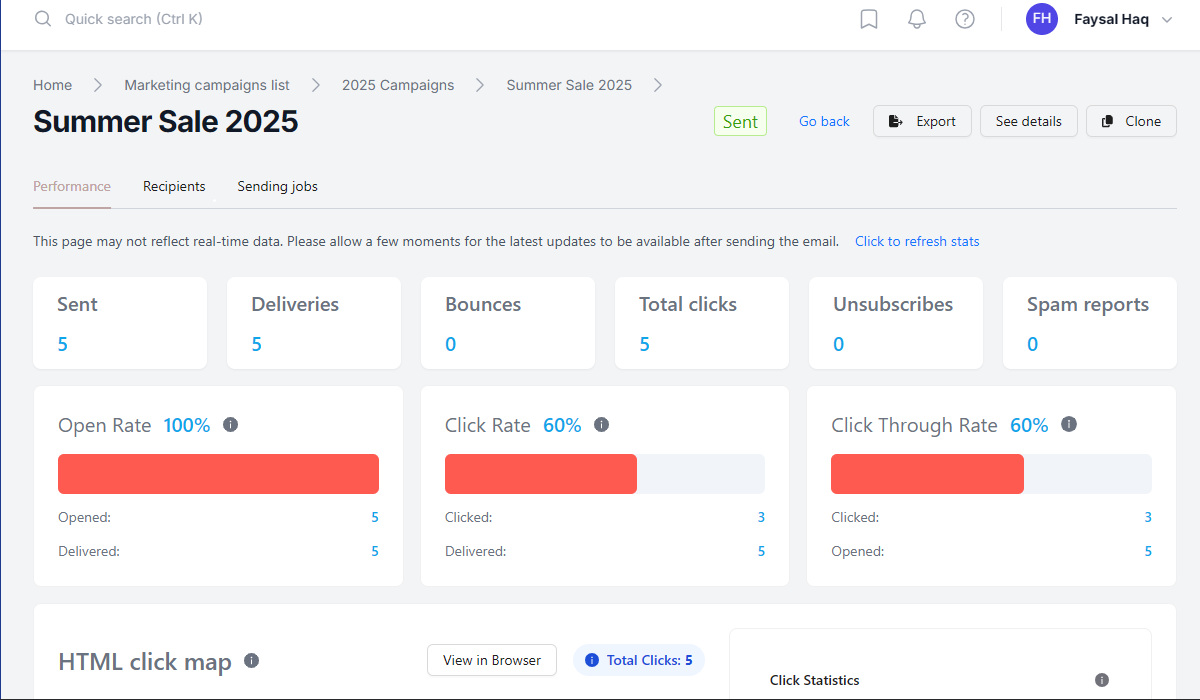
Campaigns as attribution containers
Campaign codes drive consistent UTM parameters across every touchpoint, giving you cross-channel attribution, start/end dates, status, and color-coded organization for your marketing calendar.
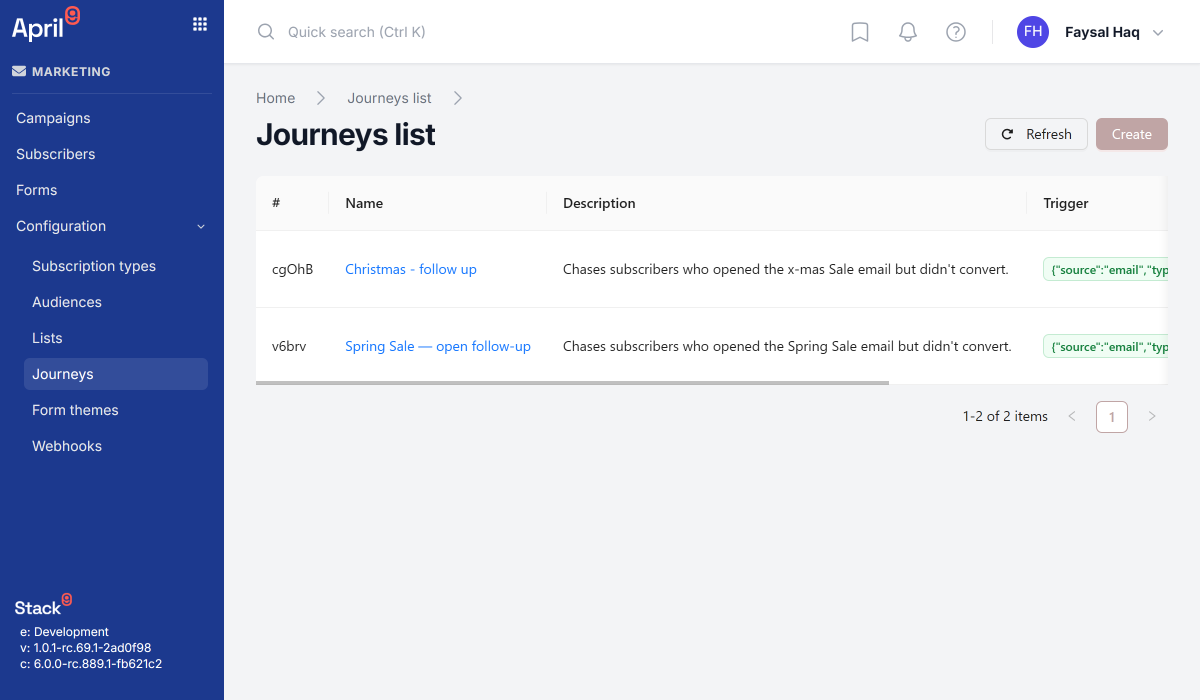
Journeys triggered by events or time
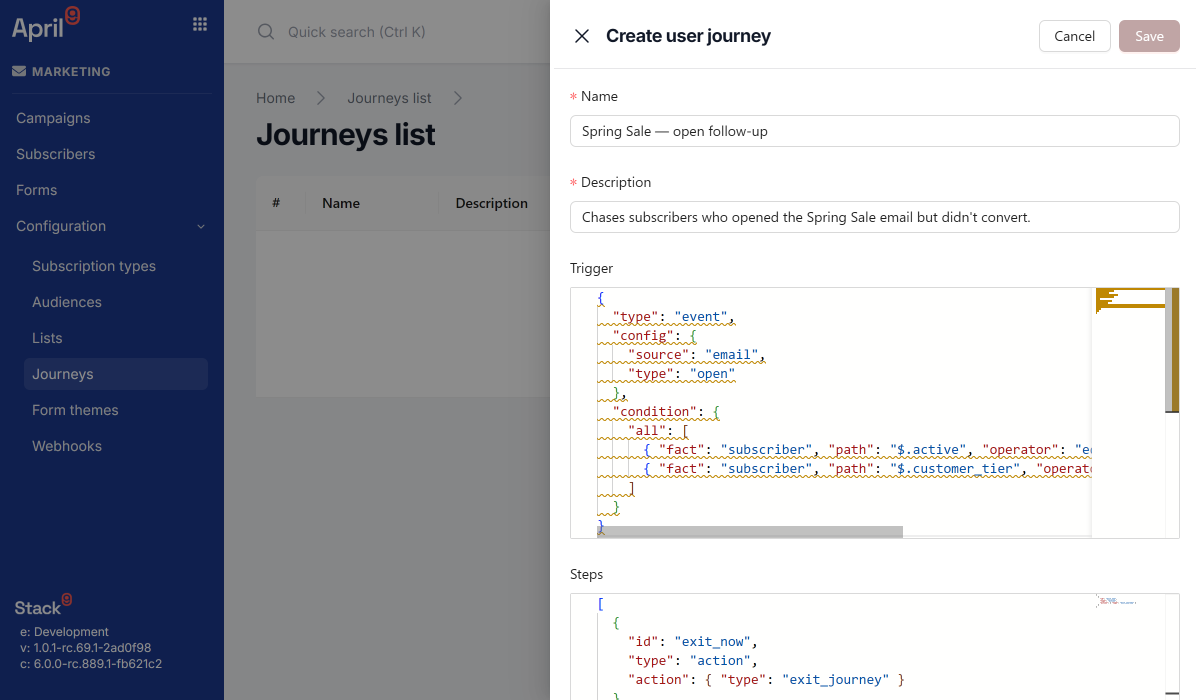
Start a journey on an email event (open, click, bounce), a website event (page view, click, scroll), or a fixed time delay — each trigger can carry an optional condition expression.
Branching, multi-step workflows
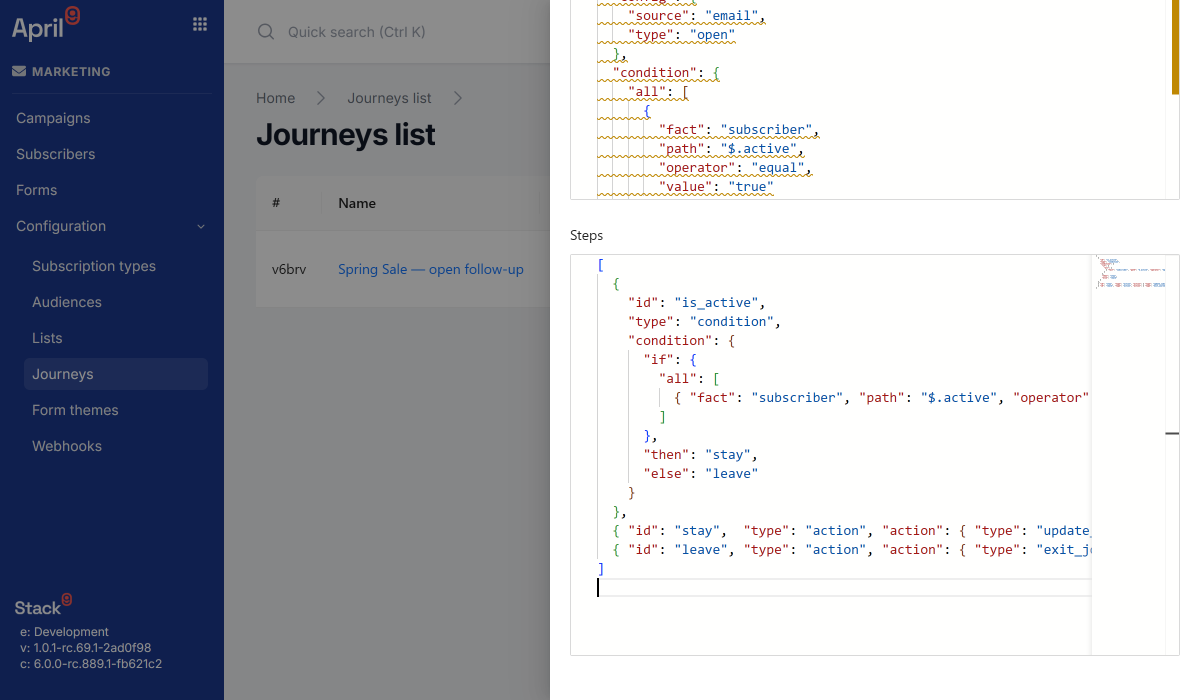
Condition steps evaluate an expression and branch to a "then" or "else" step by ID, so a single journey can serve engaged and non-engaged subscribers completely different paths.
Built-in action and wait steps
Compose journeys from send_email, update_subscriber, webhook, and exit_journey actions, plus wait steps with a configurable delay — each step wired to the next by ID.
One event stream feeds triggers and analytics
The same marketing event stream — email opens, clicks, bounces; website page views and interactions — powers journey triggers and cross-campaign engagement analytics.
A real lifecycle: draft, active, paused, archived
Journeys carry a status so you can build and test in draft, run in active, pause without deleting, and archive when retired — with a settings endpoint that feeds builder UIs their reference data.
From Trigger to Exit Step
Define a trigger
Choose an event trigger (email or website source) or a time trigger with a fixed delay, plus an optional condition that must evaluate true before the journey starts.
Build the step sequence
Chain action, wait, and condition steps together — each with a unique ID — to send emails, pause, branch, update the subscriber, call a webhook, or exit.
Activate it
Set the journey to active and it starts enrolling subscribers automatically, or enroll one manually via the start endpoint for event triggers.
Track & branch
Each run advances step by step, branching on live condition checks, until it reaches exit_journey — with drop-off and conversion visible in journey analytics.
See Campaigns and Journeys in Action
Broadcast attribution and behavioral automation, side by side.
Stop Assembling Automation From Separate Tools
Campaign management and journey orchestration, pre-integrated with the same subscriber data — instead of a CDP, an email service, and an automation tool held together with custom glue code.