From Raw Events to Executive Reports, in One Platform
Stack9 captures the marketing event stream — email and website interactions — in real time, rolls it up into campaign, email, and subscriber analytics automatically, and exports custom CSV reports on request instead of requiring a separate BI pipeline just to see how a campaign performed.
Every Metric Comes From the Same Event Stream
Campaign and email performance metrics
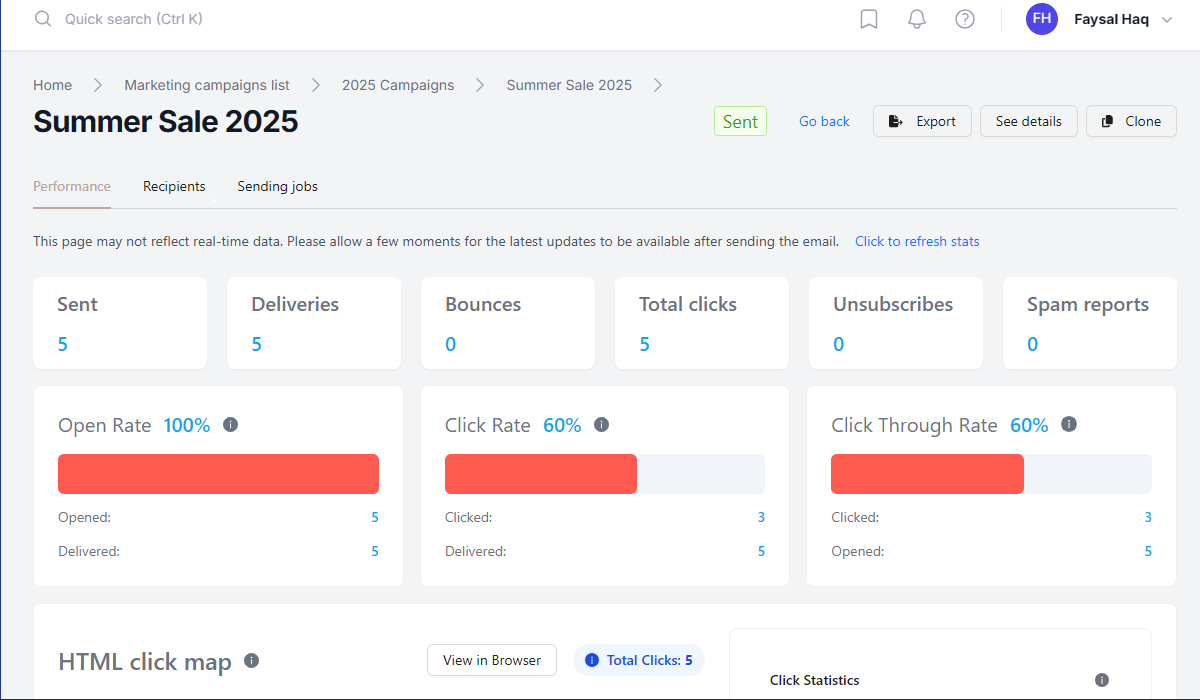
Delivery, open, click-through, and unsubscribe rates roll up per email and per campaign, with cross-channel attribution connecting engagement back to campaign codes.
A real-time event stream
Email events (opens, clicks, bounces, deliveries, spam complaints) and website events (page views, clicks, scrolls) are captured as they happen — the same stream that feeds journey triggers.
Subscriber and form analytics
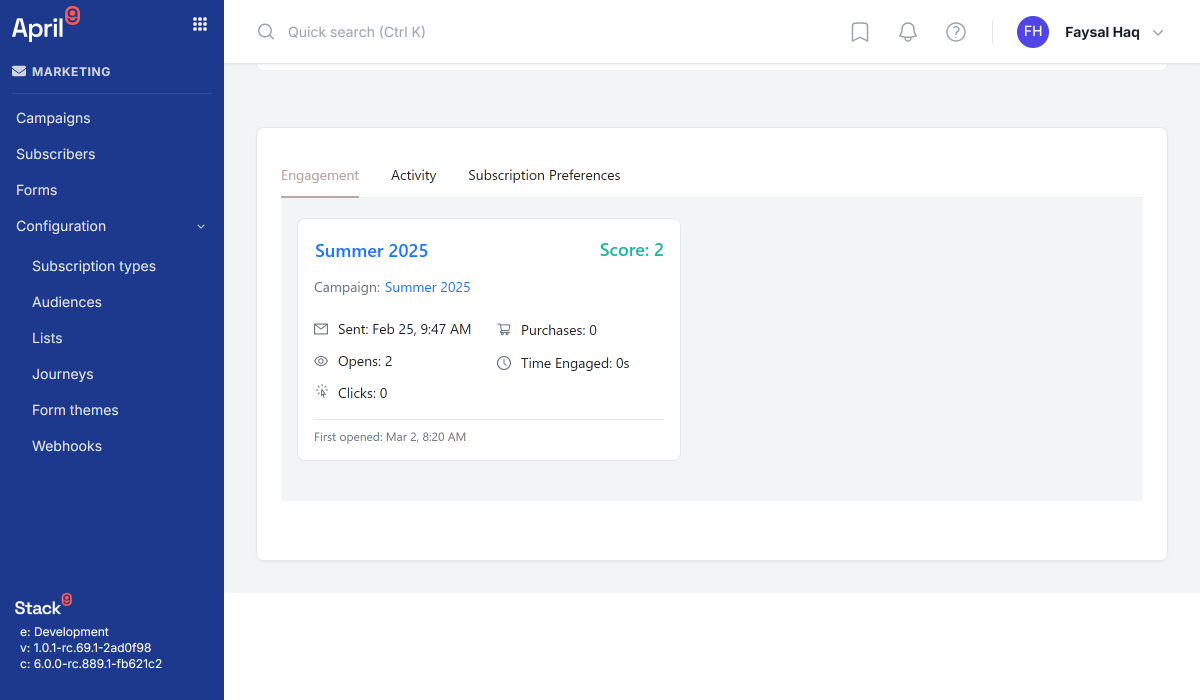
Engagement history, lifecycle progression, and churn signals at the subscriber level, plus form submission rates and field-level abandonment for lead-generation optimization.
Flexible custom reports
Generate reports for campaigns, marketing email details, subscribers, or form submissions, filtered by date range, segment, or any captured event attribute.
Async CSV export, delivered by email
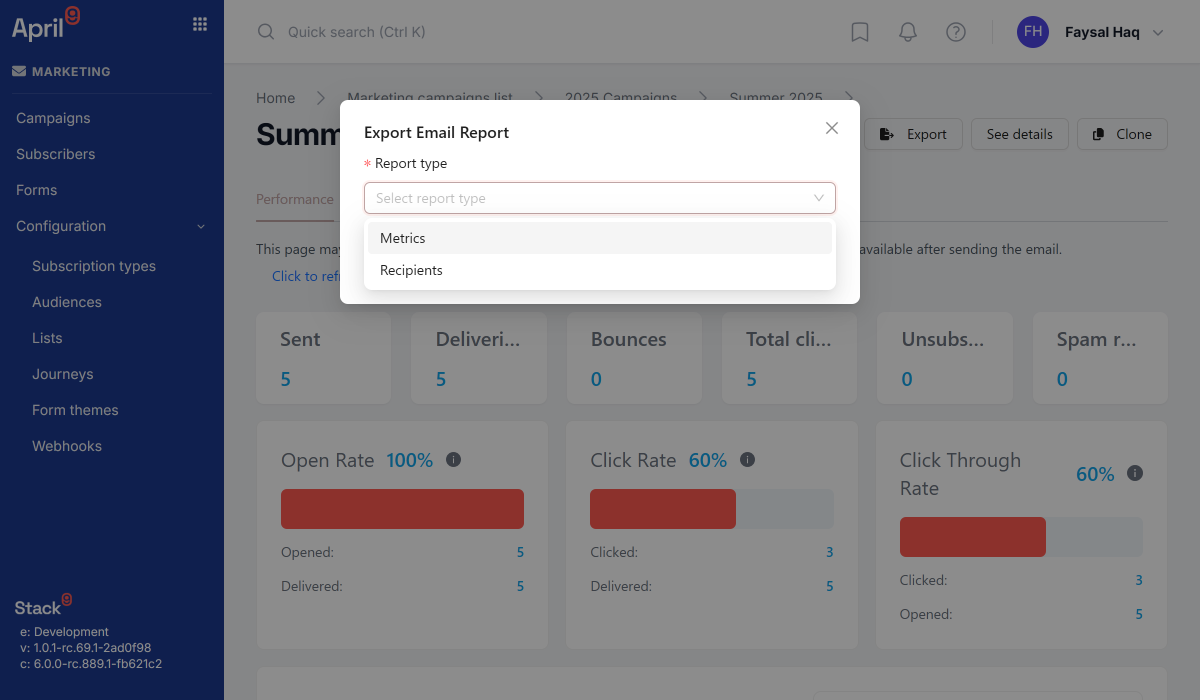
Request an export job with a report type and filters, and the completed CSV lands in an inbox once it's ready — no polling a job status endpoint.
BI-ready data access
Programmatic API access to campaign, email, and event data supports integration with data warehouses and dashboard tools for deeper, custom analysis.
From Event Capture to CSV in Your Inbox
Events stream in
Email and website interactions are captured in real time as subscribers open, click, bounce, and browse.
Metrics roll up automatically
Campaign, email, and subscriber-level aggregates update continuously — no nightly batch job to wait on.
Request an export
Call the Reports API with a report_type (campaigns, marketing_email_details, subscribers, or form_submissions), filters, and a receiver_email.
Receive it by email
The async export job runs and delivers the completed CSV straight to the inbox you specified.
See Analytics & Reporting in Action
From live dashboards to a scheduled export in your inbox.
Stop Exporting Data Just to Understand It
Campaign, email, and subscriber analytics roll up automatically from the same event stream that powers journeys — with CSV export on demand for the analysis that belongs in a spreadsheet or BI tool.