Automations and Workflows, Authored Where You Build Everything Else
Stack9 Automations react to entity events, incoming webhooks, and cron schedules, then chain reusable action types, conditional branches, workflow state transitions, and document or email templates into one visible process. Instead of bolting a separate workflow tool onto your backend, business logic lives in the same Console as your entities and screens — configuration-driven where it's routine, TypeScript where it isn't.
Business Process Logic, Without a Separate Workflow Tool
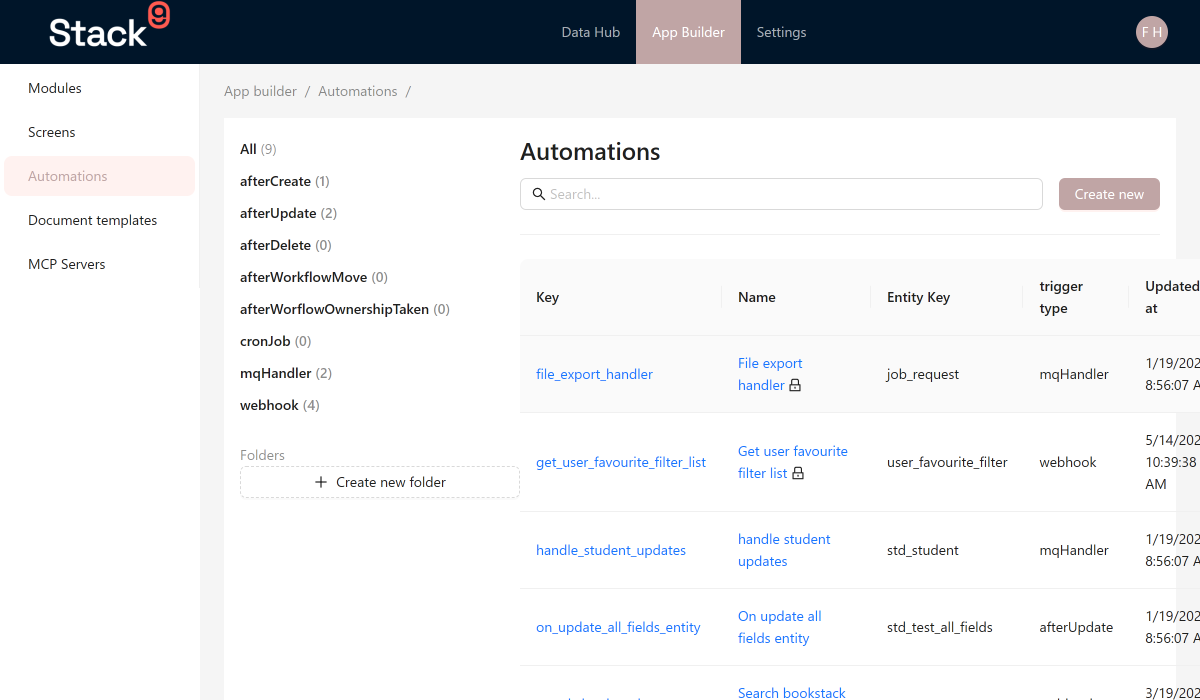
Trigger on the events that matter
Fire automations after an entity is created, updated, or deleted; when an external system calls a webhook endpoint you define; or on a cron schedule for recurring jobs and nightly batches.
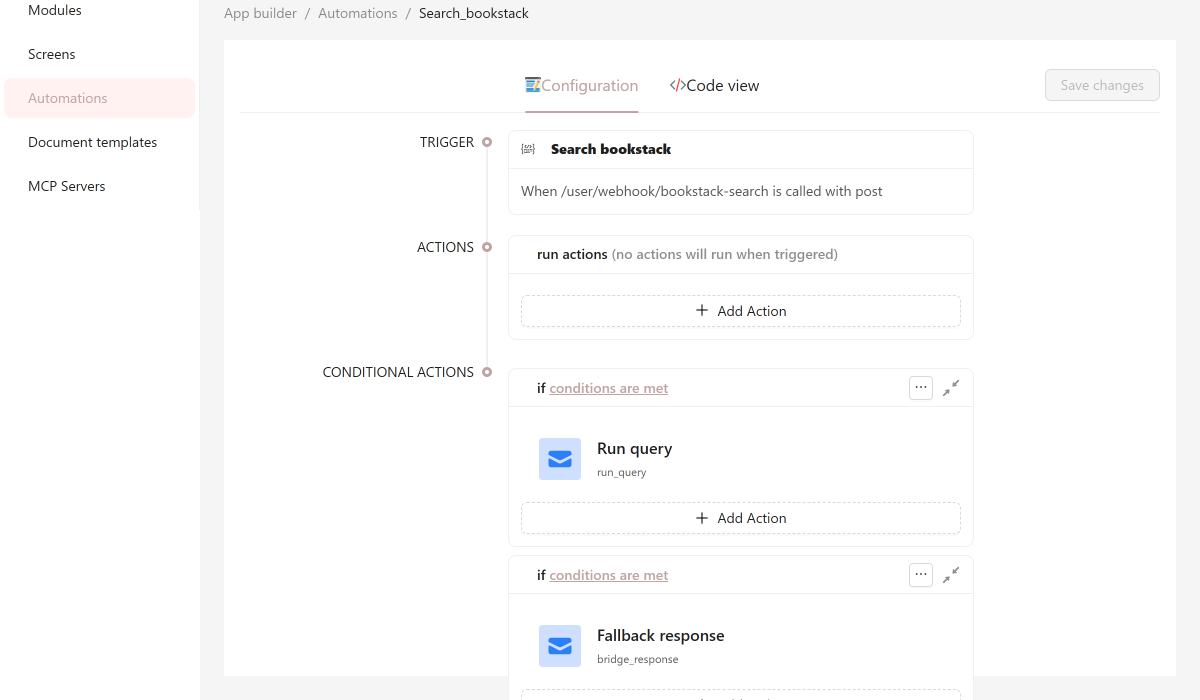
Chain reusable, typed action types
Actions are TypeScript classes with typed parameters and access to every platform service — entity CRUD, the query library, workflows, storage, and messaging — so one action works across many automations.
Branch with conditional logic
Run different actions based on the data — order total above a threshold, status changed since the last save — using rule-based conditions with and/or combinators, no nested if-statements to maintain.
React to workflow state changes
Trigger actions when a record moves between workflow steps or when ownership of a workflow task is taken — approvals, order fulfillment stages, and case management all run through the same trigger model.
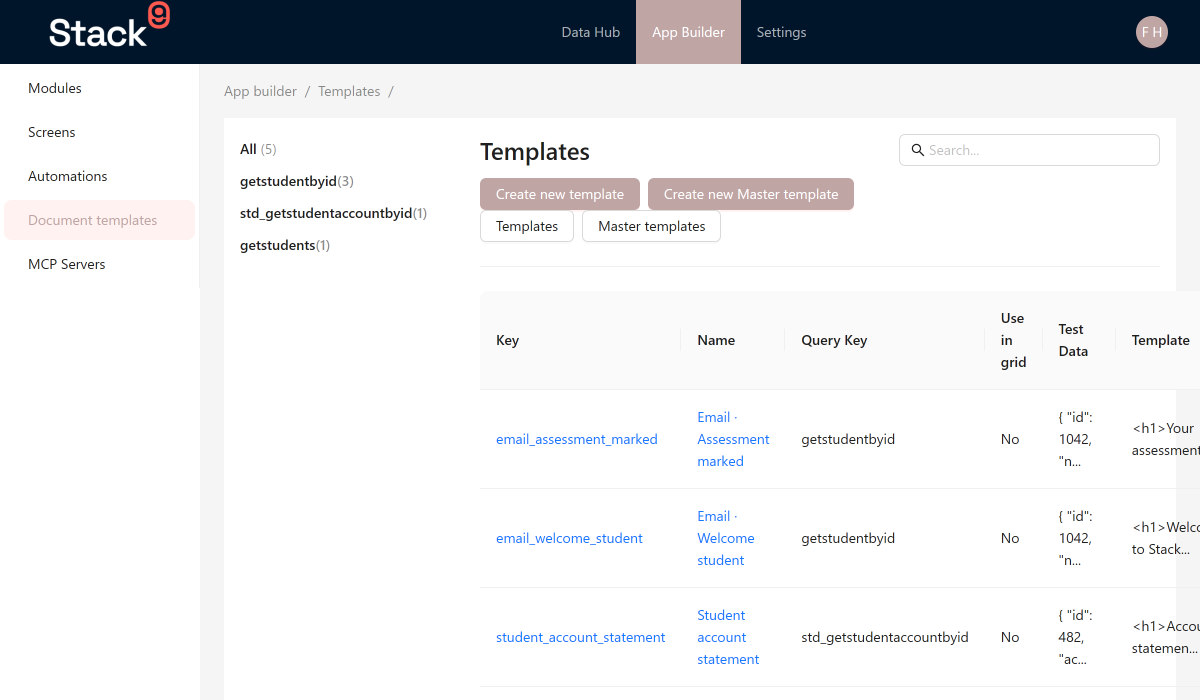
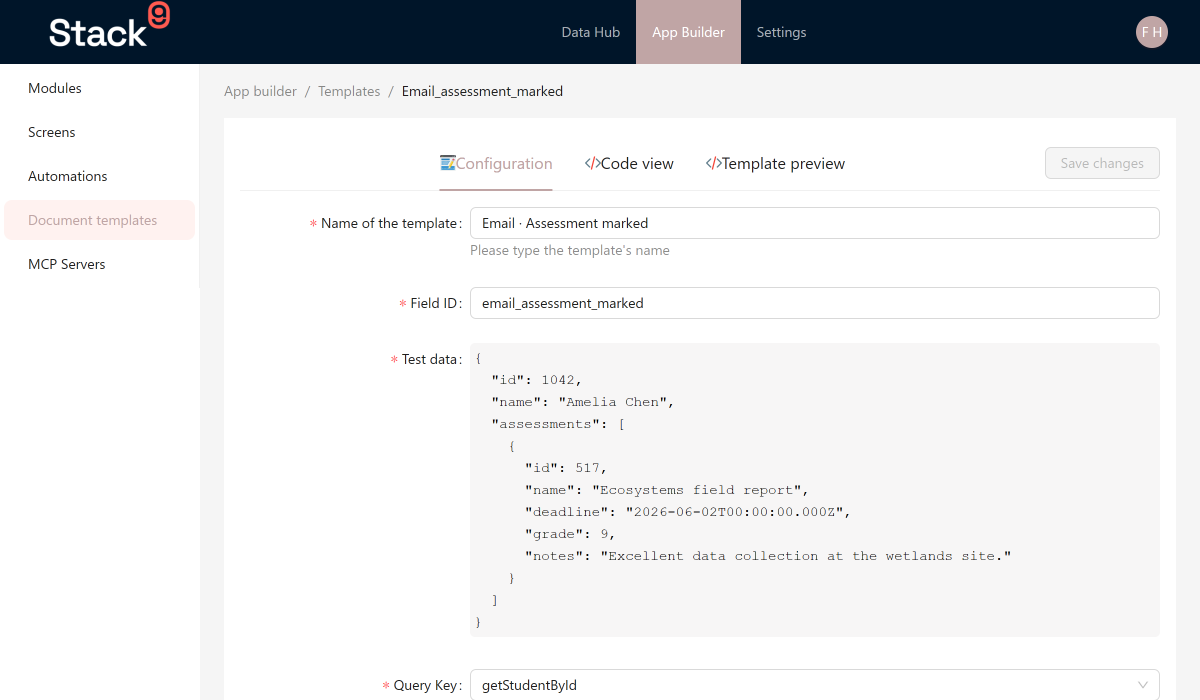
Bring documents and email into the workflow
Generate formatted documents from your application data and send templated correspondence as steps in the same automation — confirmation emails, notices, and generated PDFs stay in the same visible flow.
Authored, tested, and versioned in the Console
Build automations visually in App Builder → Automations, review execution history, and ship changes without a separate workflow engine to deploy, monitor, or reconcile with your entity data.
From Trigger to Finished Process
Pick a trigger
Entity lifecycle event, webhook endpoint, or cron schedule — choose what starts the automation in App Builder → Automations.
Chain your actions
Add action types in sequence: run a query, update an entity, send an email, generate a document, queue heavier work for async processing.
Add conditions where they branch
Wrap steps in conditional actions so high-value orders, status changes, or specific workflow outcomes take a different path.
Ship and monitor
Review execution history in the Console, iterate on the automation definition, and let it run — no separate deploy for workflow logic.
See Automations in the Console
Every trigger, action, and template lives alongside the entities and screens they support.
Put Your Business Processes Where Your Data Already Lives
Triggers, actions, conditions, and templates — one visible, versioned process instead of a separate workflow tool to keep in sync with your entities.